
AI Strategy
How to Build an AI Agent for a Business
Published Oct 28, 2026
How to build an AI agent for a business: one workflow, data it can read, tools it may call, a test before it writes, a human on the exception, then watch.
How to Build an AI Agent for a Business
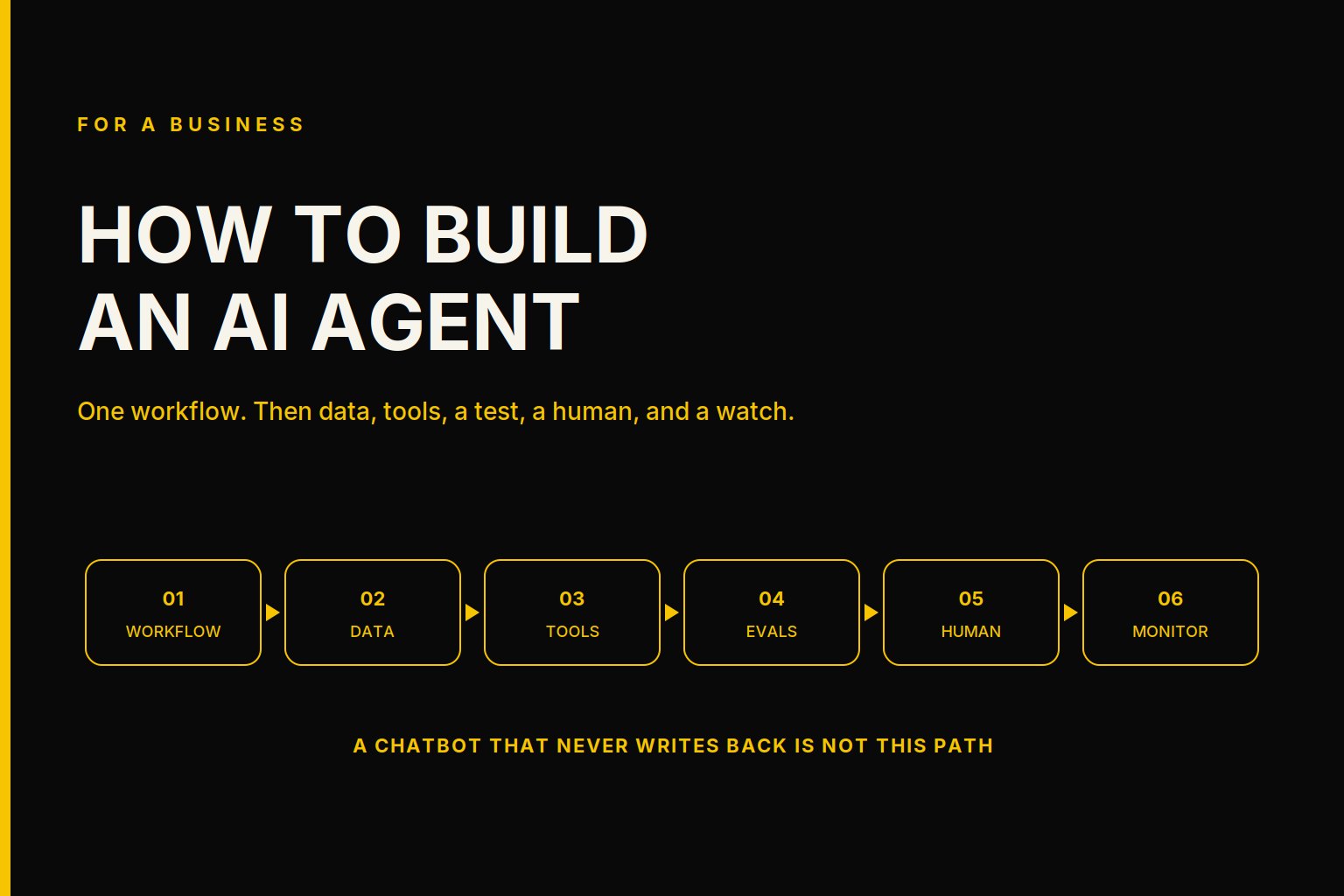
To build an AI agent for a business, pick one workflow you already run, give it data it can read, limit the tools it may call, test it before it writes, keep a person on the exception, then deploy it and watch it. That order is the whole method.
I write this for the operator who has seen a demo and is now being asked to put the same thing on a live system. I build these loops. The pages that rank for the phrase are mostly written for a repository. Tool calling matters. It is not the business question. The business question is whether the loop can read your system, stop for a person, and still be explained on a Tuesday.
Agentic workflows is the service for that production loop. What an agentic workflow is is the test I use before the build: a named owner, a system of record the loop can read and write, and a human gate on the exception. This page is the build order under that test.
How do you build an AI agent for a business?
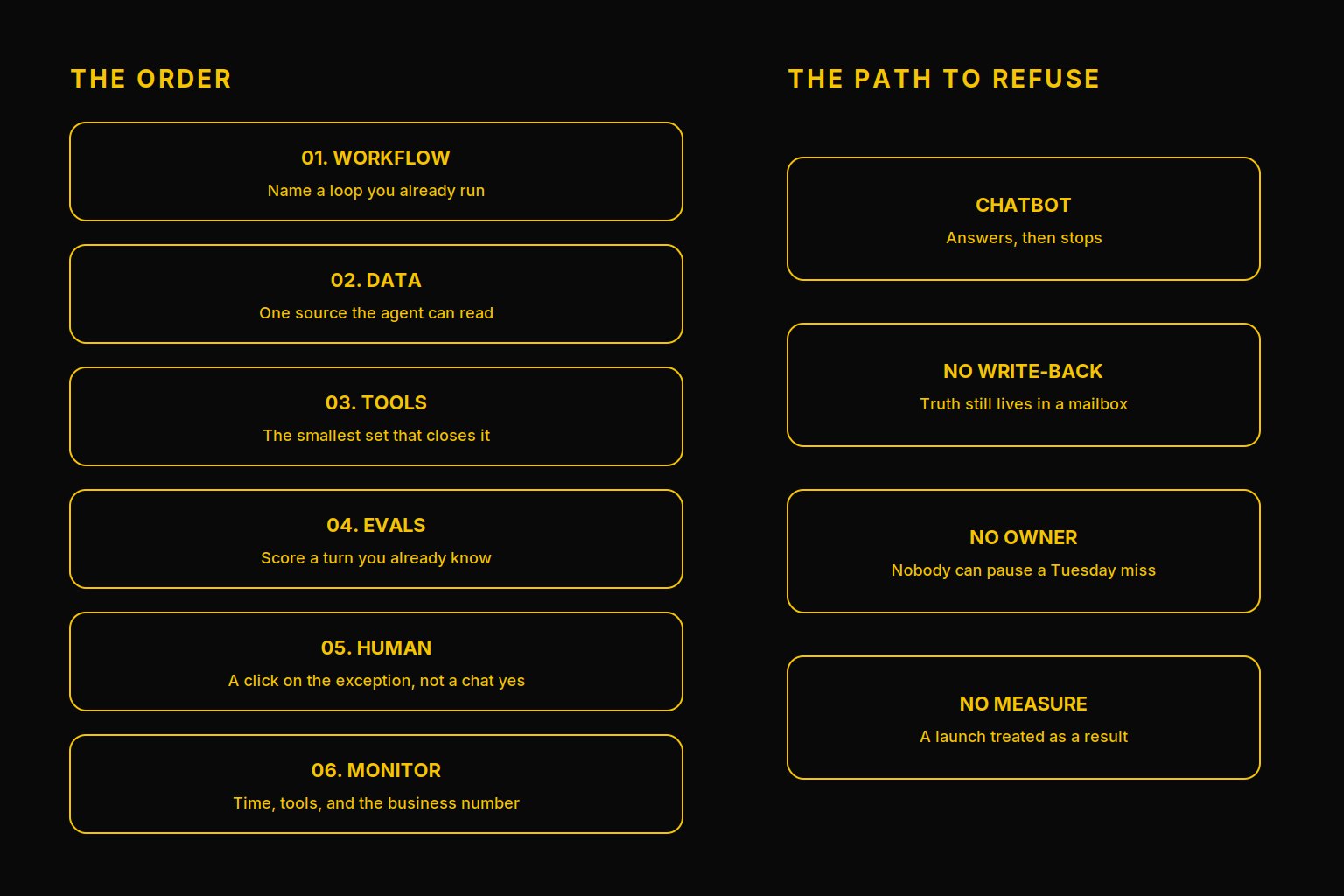
You build it as one loop, in six steps, and you do not open the next step while the current one is still a guess.
- Pick one workflow the company already runs.
- Give the agent data access to one source of record.
- Choose the tools it may call, and the permissions around them.
- Evaluate it on cases you already understand, before it writes.
- Put a human on the exception.
- Deploy it, and monitor the time, the cost, and the number the business already tracks.
How to create an AI agent and how to make an AI agent are the same six steps. Create means the first loop exists. Make means the company can still run it after the person who wired it leaves. I will use both words that way. I will not use them to mean a weekend chatbot.
The worked file under each step is a wealth advisory platform we build. I do not name the client. A second file, a media production pipeline, shows up only where the human gate is the point. I will not mix their results.
What workflow should you pick?
Pick a loop you can name without a workshop. A reporting pack. An exception queue. An advisor question that today takes a person and four systems. If you cannot name it, you are not ready to build an agent. You are ready to pick.
The wealth platform's loop was a heavy chat turn. An advisor asks a question. The agent retrieves, calls tools, and has to come back with an answer the advisor can use. That is a real workflow. "Stand up agents and see" is not.
One workflow is the constraint that keeps the build honest. A second agent, before the first one has a number, is how a thin bench collects demos. Data strategy consulting is the page to read if you cannot yet name which source that workflow is allowed to trust. Do not start the build on a conflict you have not written down.
How does the agent get data access?
The agent reads and writes a system the company already treats as true. If it only talks, and the truth still lives in a mailbox, you built a conversation.
On the wealth platform, retrieval on that heavy turn was the fast part. I will put the full timing in the test section, because the lesson depends on the split. The data path was not where the time went. That does not mean you skip the data step. It means you measure it instead of assuming the model is the whole story.
If two people can pull two official answers, stop. Clean the records before agents touch operations. Vault the sources into one store you own before you chase depth. An agent on a split stack gives faster wrong answers. I have watched that failure. It does not look like a model problem. It looks like confidence.
Data access also means scope. On this platform, ingestion and record matching stay inside one organization. A record from one firm does not resolve against another firm's book. Named workspaces keep a second team's files from becoming the first team's context. Those are permissions on the data, and they belong in the build, not in a follow-up.
How do you set tools and permissions?
Tools are the writes and the lookups the agent is allowed to perform. Permissions are who may invoke them, and what the agent is not allowed to do even if the model asks.
On the wealth platform, a new investment agent is gated to admins. The demo working is not a reason to put it on every login. Product considerations carry a version, a validation flag, a staleness mark, and a sign-off, so the agent cannot treat an old row as a current instruction.
Give the agent the smallest set of tools that closes the one workflow. A long tool list feels capable. It is also how a turn spends a minute calling things the question did not need. You will see that in the measurement.
Anything that commits money, sends a customer a binding answer, or reaches outside the tenant stays off the tool list until a person has a gate in front of it. The tool can prepare the action. The tool does not get to finish it alone.
How do you test an AI agent before it writes?
You test it on turns you can already score. Not on a leaderboard. Not on a prompt that flatters the demo.
Before we changed the design, we measured a heavy chat turn on the wealth platform. It took 148.6 seconds. 86 seconds were the model. 56.5 seconds were the tools. Retrieval was under 1 second. I am not rounding that into a story. The retrieval was fine. The tools and the model were the turn.
That measurement is the eval. It told us what to constrain. We added a per-turn budget, validated on dev. New tool calls stop at 60 percent of the time limit. The stream stops at 85 percent. The answer so far is saved, and the person gets a way to continue. Attribute each model call and each chat turn to a named agent. A blended number hides which step spent the minute.
Run the cases you already know. A good week. A stale record. A question that should refuse. A question that crosses a tenant. If you cannot name those cases, you are not ready for a write path. You are ready for a read-only pass.
Where does the human sit in the loop?
The human sits where a miss would commit the business, and on the case the model has not seen. The happy path should get boring. The exception should get louder, and it should stop.
A typed yes in a chat is not a control. I learned that on a media production pipeline we build, separate from the wealth file. A high-impact step, patching and approving a story bible before character generation starts, proceeds only when the owner uses a one-time link. The link expires after 15 minutes. When it expires, the agent mints a fresh link. It does not accept "yes" in the chat as a substitute. The click is the audit trail. The chat message is not.
Put that gate on the step that matters. Do not put a person in front of every token. A loop that escalates everything is a queue with a model in front of it. A loop that escalates nothing will eventually write the weird case into the system of record and treat it as normal the next morning.
The person on the gate has to be able to pause the loop. Title is optional. If that person does not exist, the build is early. On a portco, that seat is often a fractional CTO. If the blank is the operating systems rather than the agent, the closer read is what a fractional CIO owns.
How do you deploy an AI agent and monitor it?
Deploy means the loop writes to the real system, for the real workflow, with the gate on. A staging demo is not a deploy.
Monitor three things.
Time and tools. The 148.6 second turn is why. If you do not attribute the turn to a named agent, you cannot tell a slow model from a chatty tool list. A single blended number hides which step spent the minute.
The budget. Tool calls stop at 60 percent of the time limit. The stream stops at 85 percent with the answer saved. A turn that ignores its budget will spend the afternoon. You will find out from a bill, or from an advisor who waited.
The business number. The number you already report for that workflow. A launch is not the number. If the number did not move, and you cannot say what the agent changed in the work, you do not have a result yet.
Review gates on the code are not the monitor. On a separate media analytics platform, a showcase dataset failed in production while dev looked fine. A walk of the product after the next merge caught a second bug: a compare view crashed after a specific sequence of tab switches. The error tracker had not captured it. The fix shipped that night, and the walk was repeated. I am not turning that into a rate. The lesson is the walk. After the agent can write, someone has to use the path a customer uses. A green check on the change is not that walk.
Keep the loop on a retainer you can pause if the owner is the same person week to week. The shape of that ongoing build is a software development retainer. This page does not price it.
How do you create an AI agent without a platform first?
How to create an AI agent, in the way buyers usually mean it, starts with a vendor's platform and a pile of use cases. Reverse that.
Create the loop on the system you already pay for. One workflow. One source. A short tool list. A test you can score. A human on the exception. If that loop cannot be explained without the platform's vocabulary, the platform is the product and the workflow is the excuse.
A straight trigger and a single write, with no judgment and no exception, may not need an agent at all. Do not build one to feel current. If the case needs a read, a choice of tools, a stop for a person, and a number you will check next week, then it is an agent, and the six steps are the build.
How do you make an AI agent the company can keep?
How to make an AI agent is the part after the first demo works.
Name the owner who will pause it next month. Write the control sentence where the next engineer can find it. Attribute cost and time to the agent by name. Save the answer when you cut a turn short, so the person is not staring at a blank screen. Keep the exception as a click you can audit, not as a sentence in a transcript.
If the only copy of the prompt, the tool list, and the eval cases lives in a personal account, you made an agent for the builder. Move them into the company's system before you call it deployed.
When the first loop is live, pick the next one only if the same owner can hold it. Agentic workflows is that refusal, written for the operator. I would rather run one boring loop that writes the right row than a portfolio of agents nobody can pause.
If you already know the workflow and the system it has to touch, start in chat. Bring the owner and the number you want to move. I will tell you which of the six steps is still a guess.
Related reading
Frequently asked questions
How do you build an AI agent for a business?
Pick one workflow the business already runs. Give the agent one source of data it can read and write. Limit the tools and permissions it may use. Test it on cases you already know the answer to before it writes. Keep a person on the exception. Deploy it, attribute the cost and the time to that agent, and watch the number the business already tracks.
How do you create an AI agent if you are not starting from a platform?
How to create an AI agent starts with the workflow, not with a platform. Name the system of record, the tools the agent may call, and the person who can pause a miss. A platform can come after that loop is real. A platform chosen first becomes the project.
How do you make an AI agent the company can keep?
How to make an AI agent stick is an owner, a write-back to the system of record, and a monitor a person actually reads. If the only person who can explain a wrong answer is the vendor, you did not make an agent the company can keep. You rented a demo.
What should you measure before an AI agent writes?
Measure one real turn before you change the design. On a wealth advisory platform we build, a heavy chat turn took 148.6 seconds. 86 seconds were the model. 56.5 seconds were tools. Retrieval was under 1 second. The budget we added stops new tool calls at 60 percent of the time limit and stops the stream at 85 percent, with the answer so far saved and a way to continue.
Where should the human sit?
The human sits on the exception, and on any step that commits the business. A typed yes in chat is not an approval. On a media production pipeline we build, a high-impact step proceeds only when the owner clicks a one-time link that expires after 15 minutes. When the link expires, the agent mints a fresh one. It does not accept a chat yes in its place.
Written by Anthony Wentzel